The 5-hour session
How much you have used, in large type, and the time left before it resets, such as 1h29.
 Mini Monitor
Français
Mini Monitor
Français
CLAUDE AND YOUR PC, ON THE LITTLE USB SCREEN
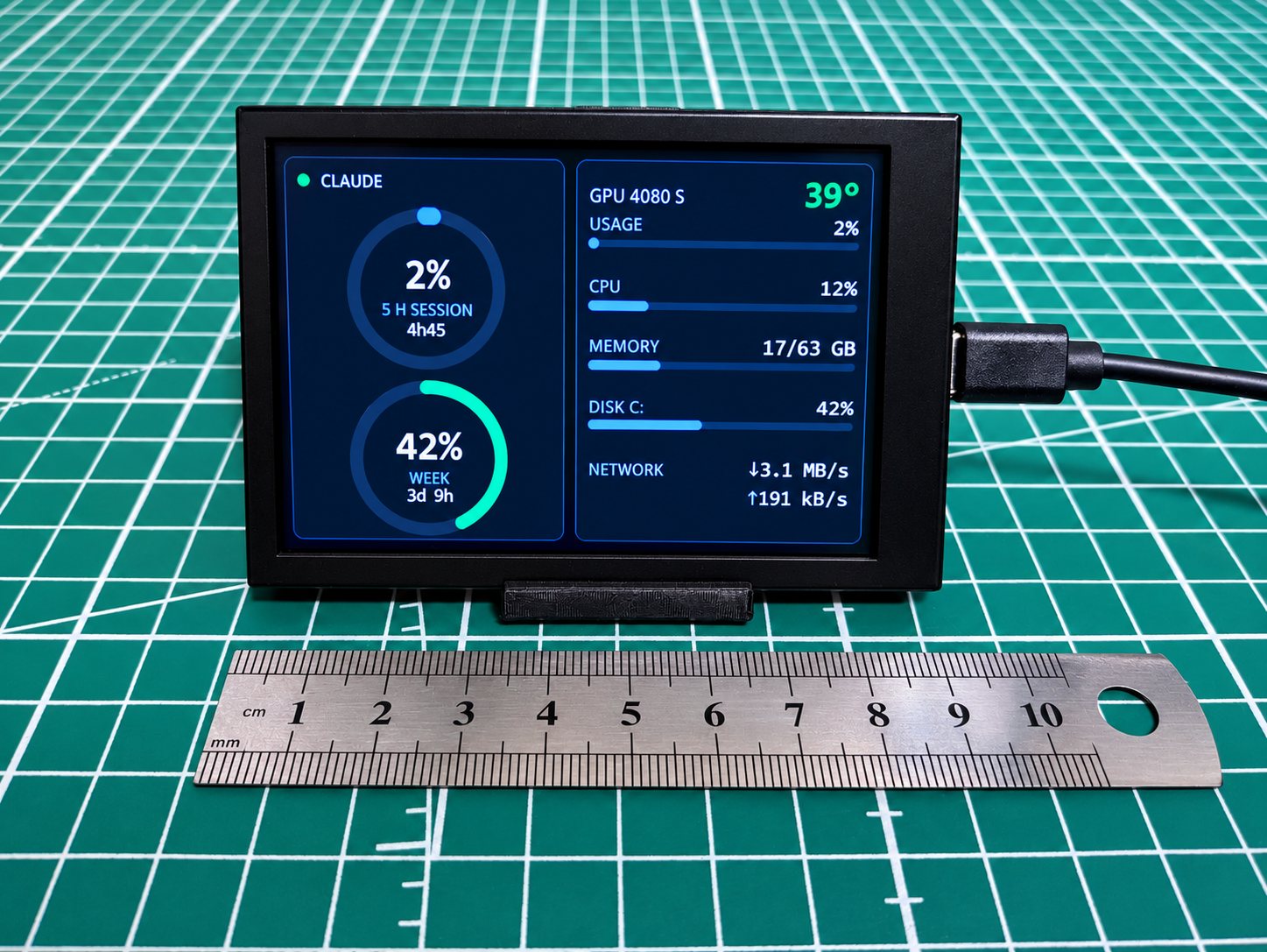
Mini Monitor replaces the vendor software of little USB PC screens, on Windows and Linux. Your Claude 5-hour session and week up front, with the time left before each reset; GPU, CPU, memory, disk and network beside them.
01 — WHAT IT SHOWS
A layout made to be read from across the desk, on a dark background, with every number in a fixed-width font.

How much you have used, in large type, and the time left before it resets, such as 1h29.
The same ring for the weekly limit, with its own countdown, such as 3d 22h.
Amber from 75%, red from 90%. The GPU turns amber at 75 °C and red at 85 °C.
GPU temperature and load (NVIDIA, or AMD on Linux), CPU, memory, disk and network ↓↑, each with a thin bar.
The ring fills, values glide to each new reading instead of jumping, the dot breathes. Never a full-screen flash.
If your Claude usage cannot be read, or its reset time has passed, the ring shows a grey ?.
02 — INSIDE
The screen's USB link needs 1.2 seconds to send a full frame. Mini Monitor draws everything in memory and sends only the areas that changed.
A small area goes out in a few hundredths of a second, so the dot breathes and the bars glide without freezing the rest.
Before your Claude token expires, Mini Monitor renews it the way Claude Code does and writes it back without touching the rest of the file.
Screen unplugged, USB port reset, PC asleep: it retries every 3 seconds and redraws everything when the screen is back.
On Windows, a scheduled task with no window and no administrator rights; on Linux, a systemd service. A second copy steps aside on its own.
About 2% of one CPU core and 60 MB of memory, measured on the PC it was built on.
The layout is redrawn sharp at the screen's size, in landscape, in portrait or inside a circle. French by default, --lang en for English.
OPEN SOURCE · GPL-3.0 · WINDOWS AND LINUX
Mini Monitor installs from its source code, with Python 3.11 or later. Close the vendor software first: only one program can talk to the screen at a time.
Windows 10 or 11, or Linux · Python 3.11+
Download Mini Monitor
py -3.11 -m venv .venv.venv\Scripts\python -m pip install -r requirements.txtpowershell -ExecutionPolicy Bypass -File install-startup.ps1 -Lang en03 — QUESTIONS
Tested on the 3.5-inch Turing Smart Screen sold as UsbMonitor. Other models are supported but not tried on real hardware yet: Turing 2.1" round, 5" and 8.8", XuanFang 3.5", Kipye 3.5" and WeAct 3.5". The screen is detected on its own; the full list says which ones were checked. No screen? --screen window shows it in a window.
For the Claude rings, yes, once: sign in with claude auth login on the same account. Mini Monitor reads the token Claude Code stores in ~/.claude/.credentials.json, then renews it by itself.
One request every 5 minutes to read your Claude usage, and the token renewal shortly before it expires. Tokens are never printed nor logged. These endpoints are the ones Claude Code uses and are not documented: if they change, the rings show ?.
On Linux, an AMD card (amdgpu driver) is read too. Otherwise the GPU row shows ?; everything else works.
In the log file, %LOCALAPPDATA%\MiniMonitor\minimonitor.log on Windows, ~/.local/state/minimonitor/minimonitor.log on Linux: connections, outages, token renewals and slow frames.