 Shotoshot
FOR STREAMS, CLASSES AND DEMOS
Draw on your screen
while you stream.
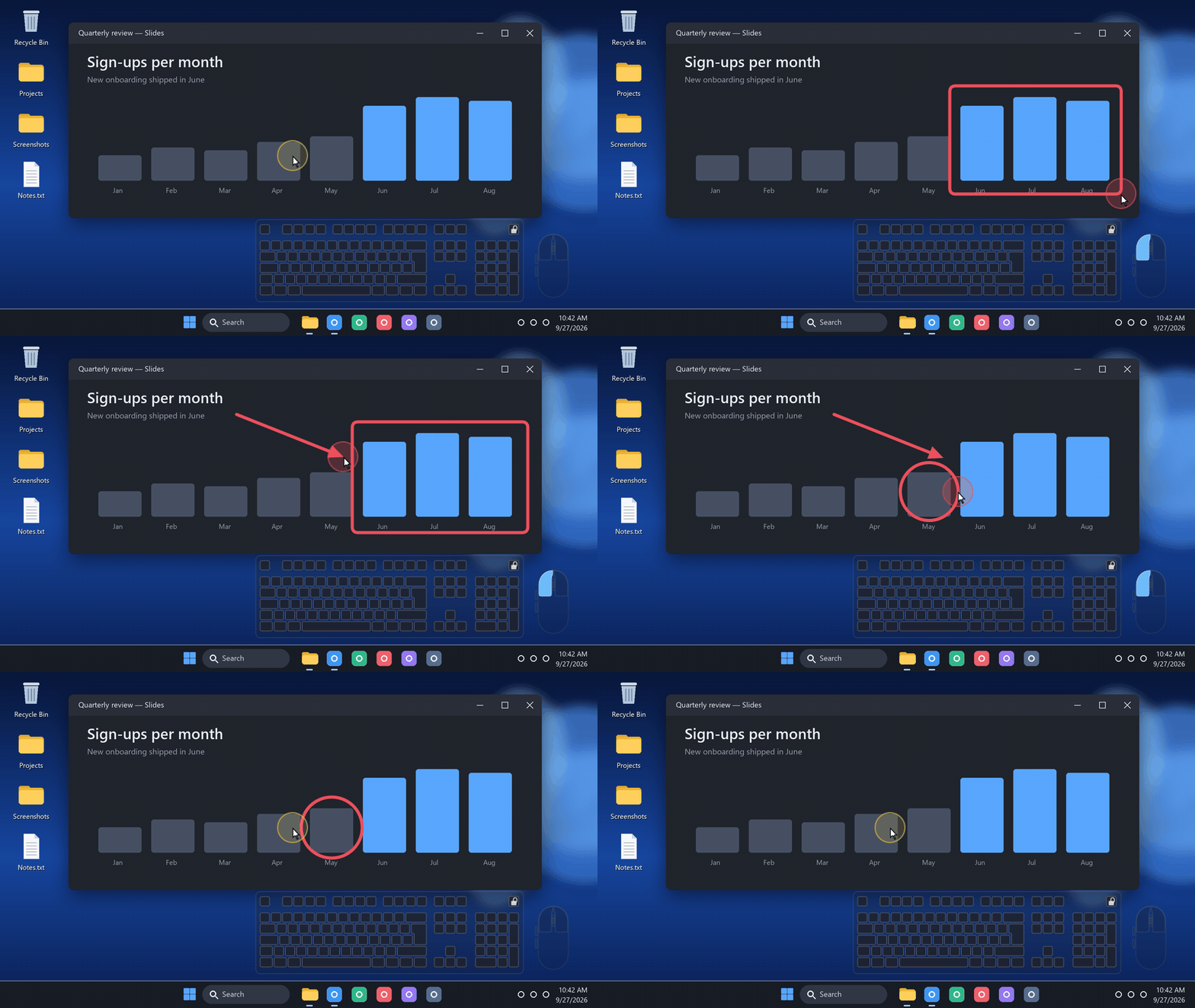
Shotoshot adds a temporary drawing layer over whatever is running: a game, a slide deck, your code. Circle the detail, point at it, and the shape fades away on its own. You never leave your app.
Windows 11 · No account · No admin rights needed
Three shortcuts. No toolbar.
Turn on Temporary shapes from the Shotoshot icon near the clock. Then press a shortcut, drag with the mouse and let go: the shape appears, and your clicks go straight back to your app.
- Alt+F ArrowHold Shift for clean 45° angles.
- Alt+R RectangleHold Shift for a square.
- Alt+C CircleDrawn from its center. Hold Alt for an ellipse.
- Your own keysEach shortcut can be changed from the same menu.
Shapes fade after 1, 3 or 5 seconds. Roll the mouse wheel while drawing to set the thickness, from 1 to 40 px.
Made for the people watching
- A halo around the pointerViewers always know where you are. It flashes red while you click.
- Shapes that clean up after themselvesNothing to erase between two explanations.
- Your keys and clicksA mini keyboard and mouse show what you press. More about it.
- A panic buttonCtrl+Alt+Esc hides every presentation aid at once.
Set it up in OBS
- Display Capture: nothing to do. The halo, the shapes and the keyboard are already in the picture.
- Game Capture or Window Capture: these only see one app, so add a Window Capture source above it. Pick the window
[shotoshot.exe]: Shotoshot overlayand the capture method Windows 10 (1903 and up). Transparency is kept. - Several monitors: the overlay spans all your screens. Crop the source to the monitor your game is on.
The overlay window only exists while a presentation tool is on, and OBS finds it again when you turn one back on. The lock on the mini keyboard is visible to you only.
Not only for streamers
A class, a product demo, a video call: share your entire screen, not a single window, and people see your drawings too. Shotoshot is not a screen recorder: keep recording with OBS or the tool you already use.
Good to know
Does it work on Linux?
Not yet. The Linux preview captures and annotates screenshots, but presentation mode is Windows only for now.
Is it free?
Yes. Shotoshot is an independent project by Mickaël Mancini. Support is optional.