 MCQ Advanced
Français
MCQ Advanced
Français
TUTORIAL · FIVE MINUTES
My first quiz.
In five minutes.
One question, four answers, then the paper ready to hand out. Everything happens in the browser, without an account or an install. The screenshots come from the Studio itself: they are taken again for every new version.
-
Open the Studio.
The Studio opens on a new paper, with a first empty question. Nothing to install, no account to create: your draft is saved as you type, in this browser only.
For a room without a network, the same application exists for Windows and Linux.
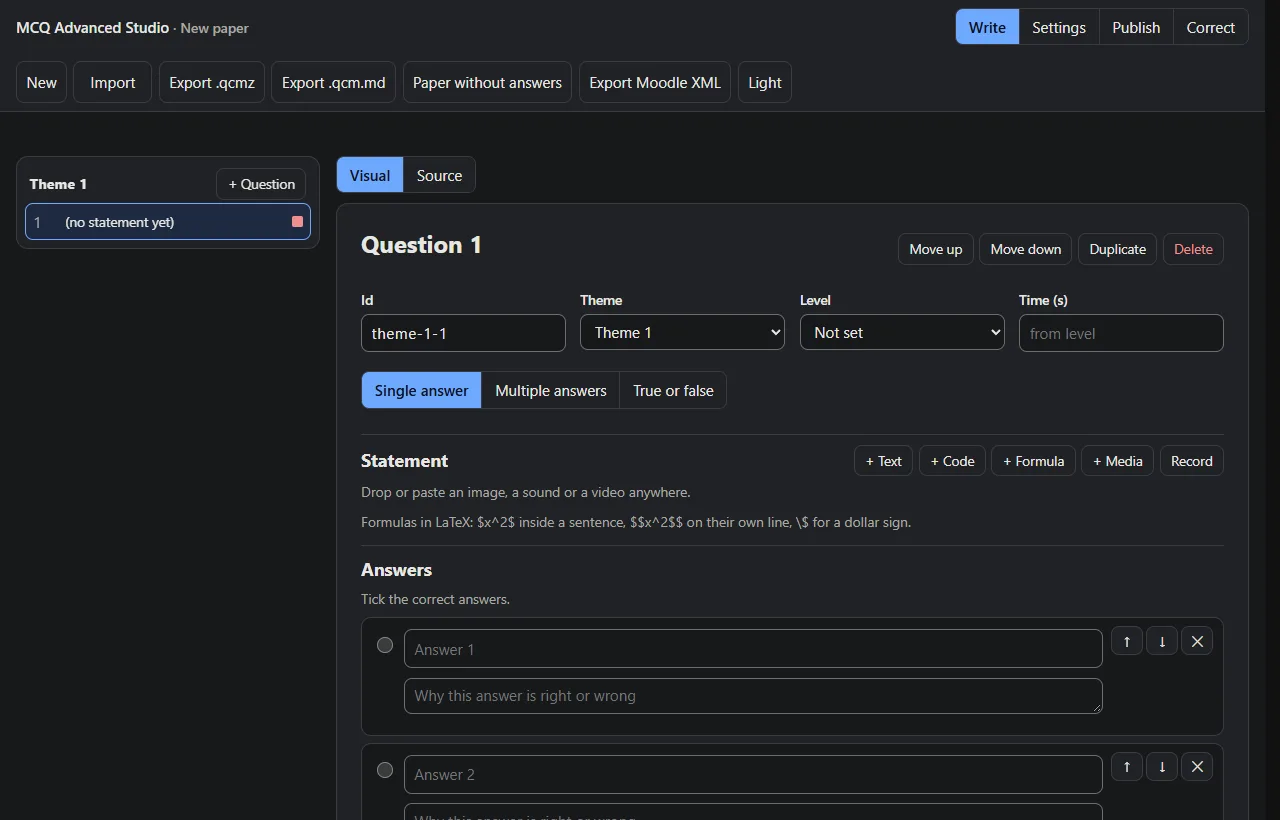
A new paper, ready to write. -
Write the question.
"+ Text" adds the statement. Then type the answers, tick the correct one, and write under each a line saying why it is right or wrong: that is what the student reads in the correction.
Each distractor here matches a real mistake (6 × 9, 6 × 8, 7 × 9): the class analysis will be able to tell which one was made.
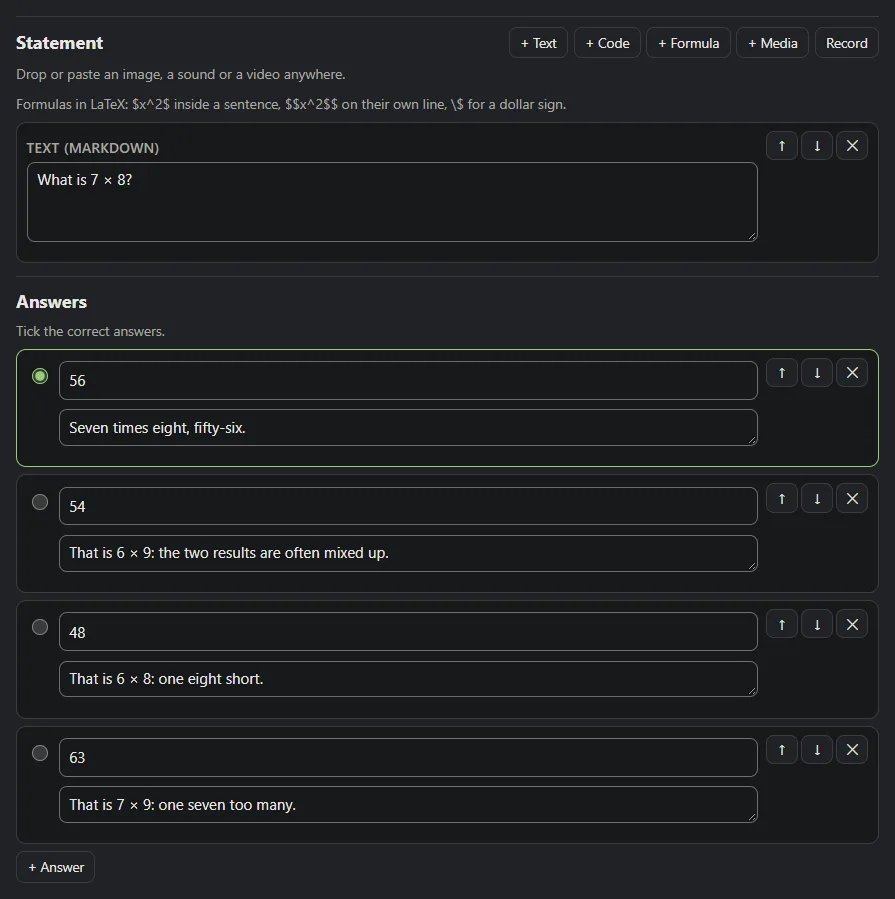
The statement, four answers, an explanation under each. -
Read the advice.
The checker reads the question as you type. An error blocks publishing (no correct answer ticked, for instance). A warning is writing advice: here, the rule to remember and the place to revise are missing.
Each code links to its section of the "Writing a good test" guide.

Two pieces of advice, no error: the question can go. -
Look at the preview.
Under the editor, the preview shows the question as the student will see it, on a computer or a phone, light or dark. It follows every keystroke.
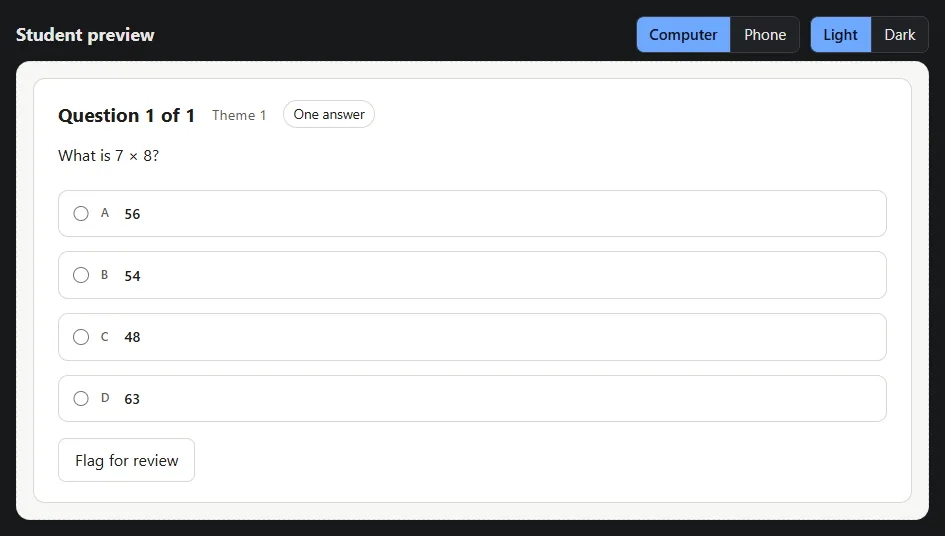
What the student will see, live. -
Publish.
Create your teacher identity once: a file and a passphrase that sign your papers and alone open the copies. Then choose an exam (opened by a code given in the room) or practice (no code), and publish: the package you get goes to students through your school platform, a USB stick or a link.
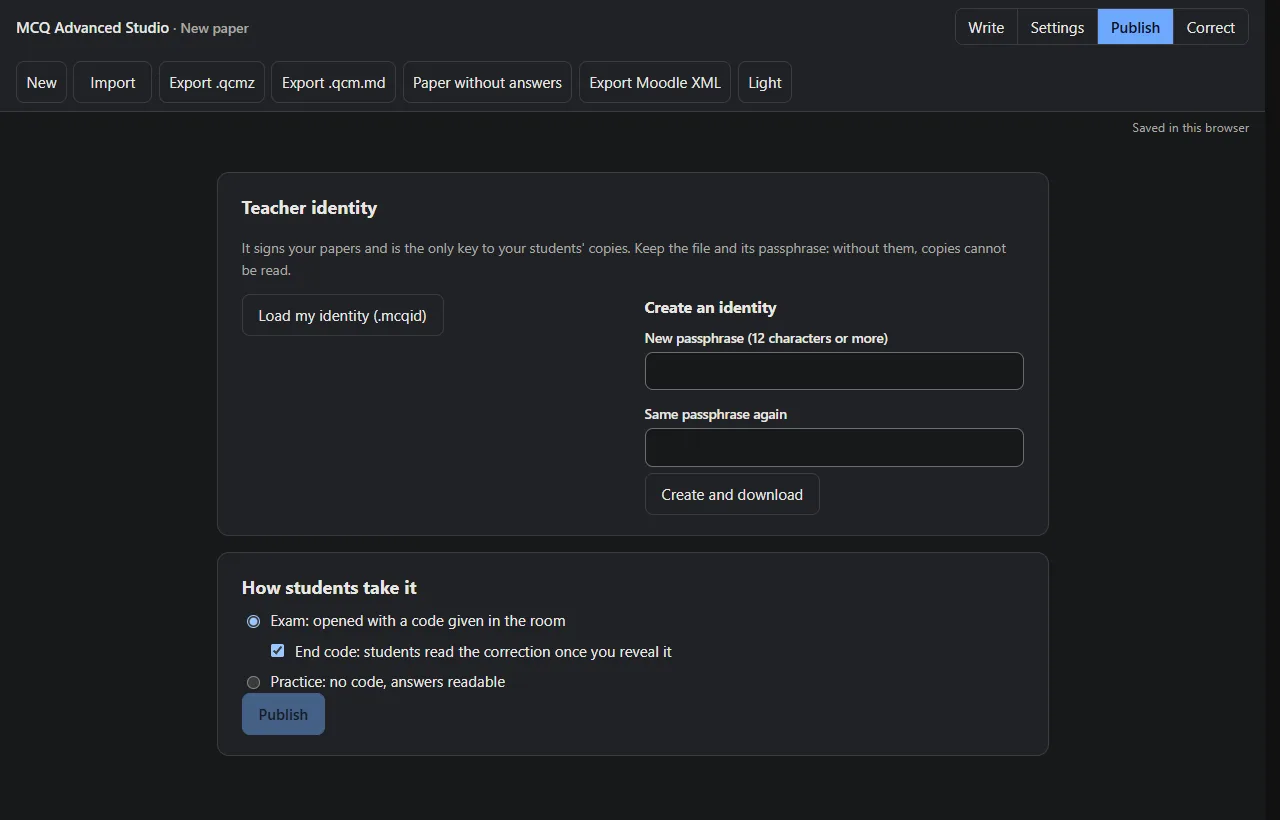
An encrypted paper, ready to hand out.